
Built for independent optometry
Grow your practice.
Give your team time back.
Bring booking, paperwork, patient check-in, visit coordination, and follow-up together.
Automate routine steps so your team can spend more time helping patients.

- Digital forms
Paperwork completed
- Insurance preparation
Details collected before the visit
- Patient check-in
Arrival submitted
- Patient flow
Your team stays in sync
- Patient recall
Next visit booked
- Google reviews
Build your practice’s reputation
Keep your existing practice system.
Clinical records, billing, and payments stay where they are.
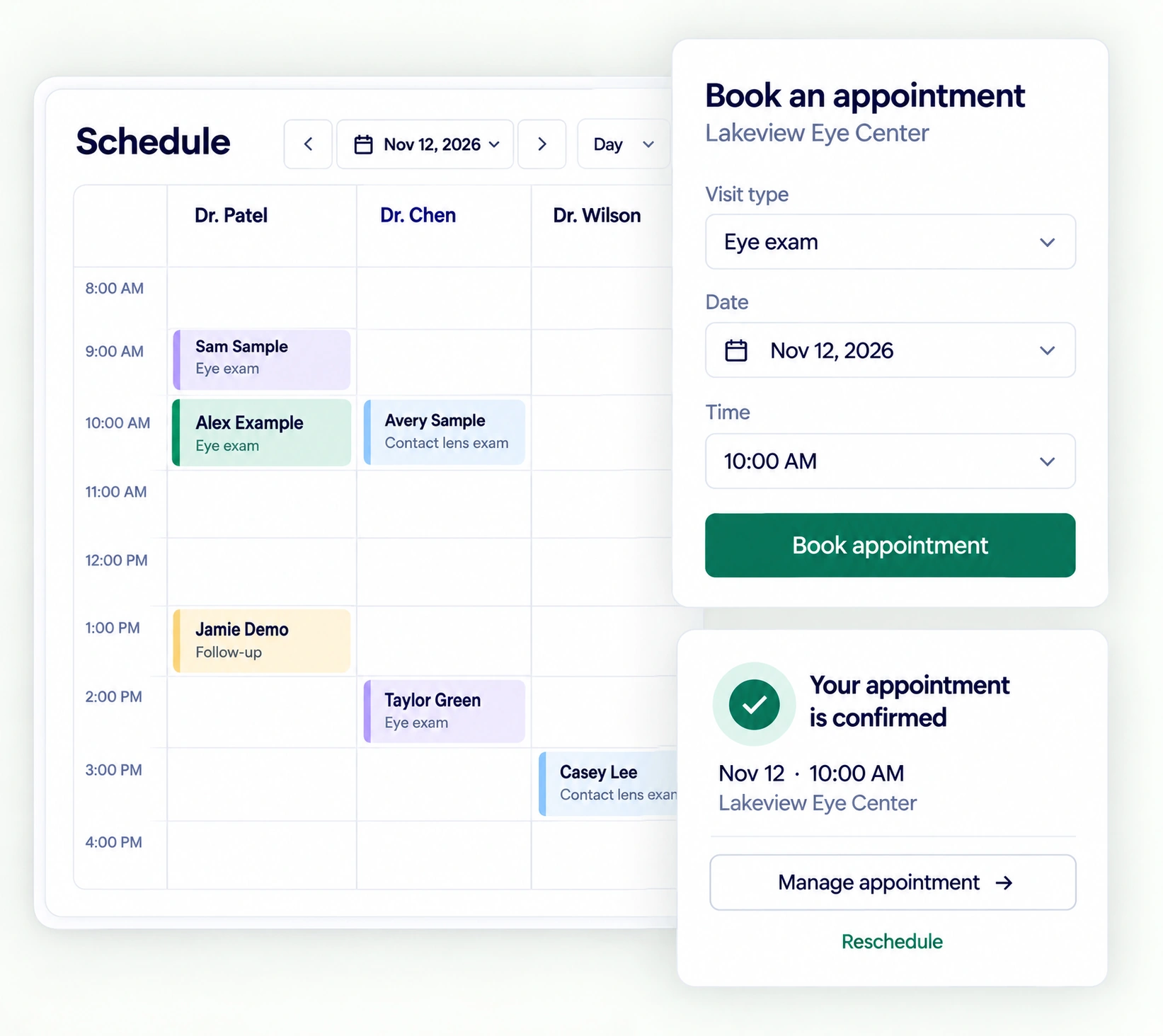
Booking & appointments
Make booking easier for patients and your team.
Let patients choose an available appointment online, while your team manages bookings and availability in one shared schedule.
Online booking and staff scheduling
One front-office schedule when you enable OnePracticeDoor booking.
Patient rescheduling and cancellation
Give patients a simple way to manage eligible appointments.
Confirmations and reminders
Keep patients informed by permitted text and email.
Patient Forms
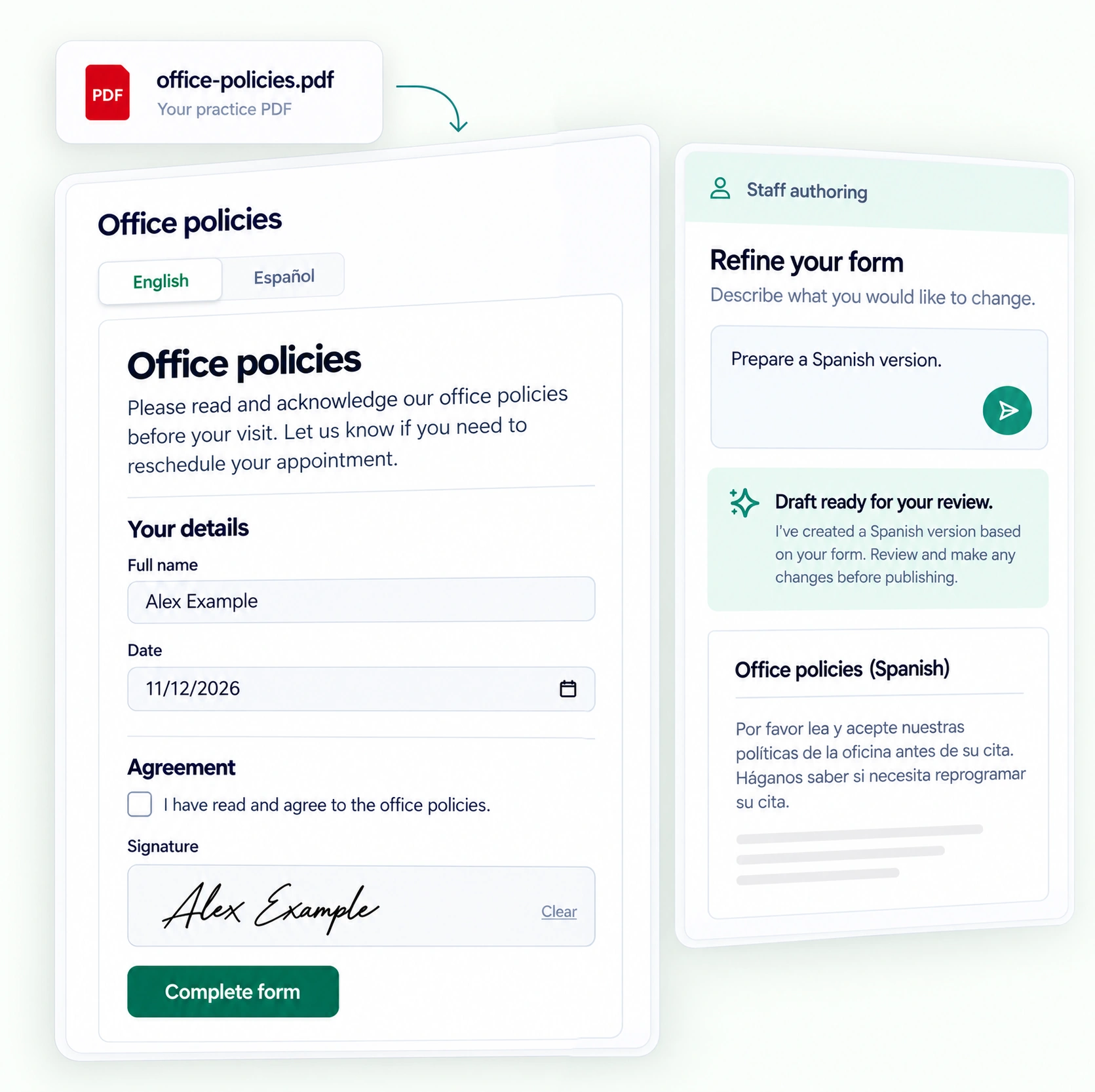
Less paperwork at the front desk.
Turn blank practice PDFs into patient-friendly digital agreements. Prepare drafts with AI, review English and Spanish versions, and collect acknowledgements and signatures digitally.
Start with your blank PDFs
Use your existing office policies and consent forms.
Reviewed English and Spanish versions
Your team reviews both languages before publishing.
Complete paperwork before eligible visits or at check-in
Patients can read, acknowledge, and sign on their device.
Prepare → Review → Publish
Patient Vault
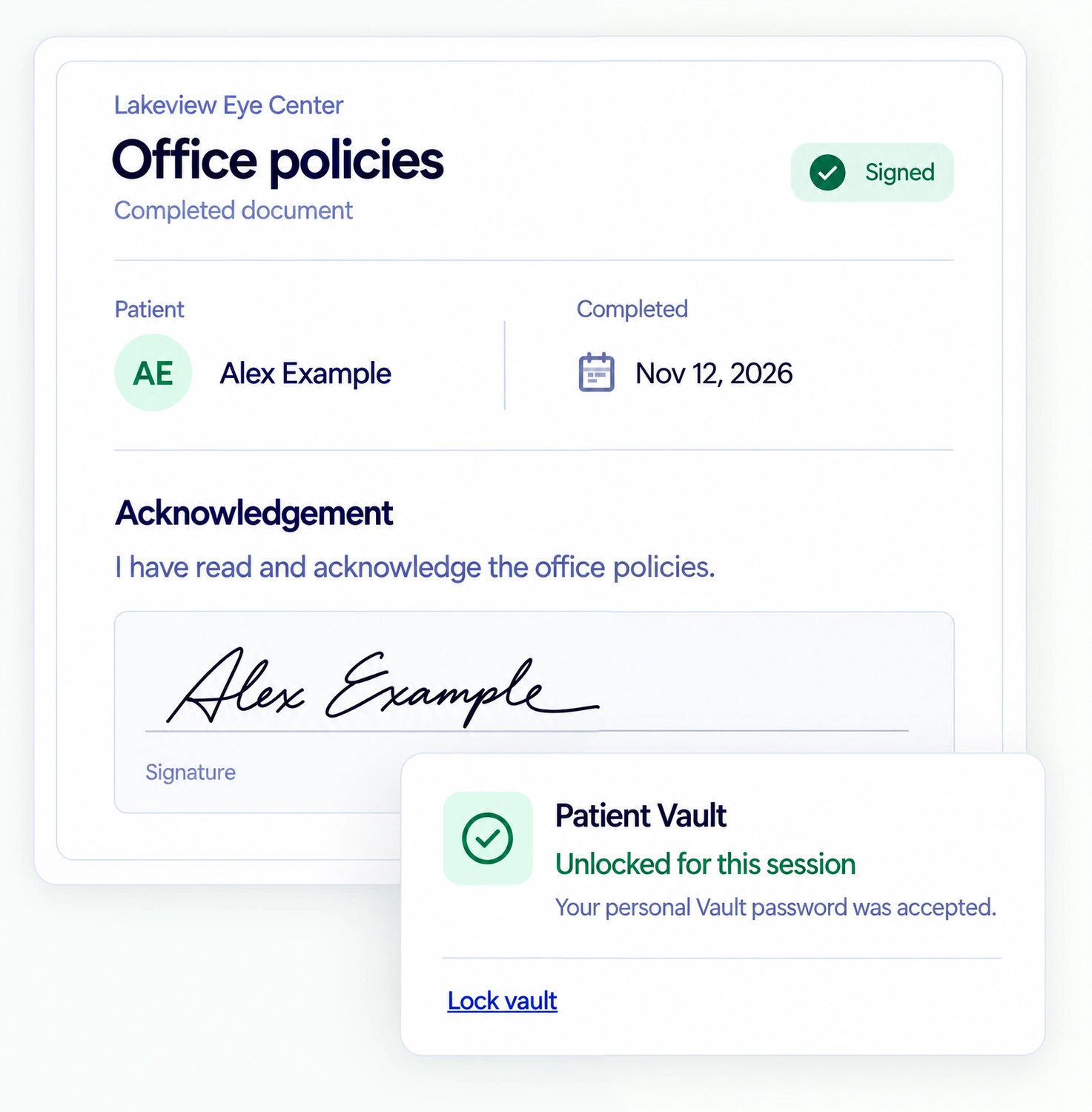
Extra protection for patient paperwork.
Patient Vault encrypts completed forms and signatures. Authorized team members unlock protected documents with their own personal Vault password, separate from their sign-in.
Automatically encrypted
Completed forms and signatures are protected before they’re stored.
Personal Vault passwords
Each authorized teammate uses their own password.
Unlock once. Keep working.
Open protected documents during your session without entering your password for every document.
Insurance preparation
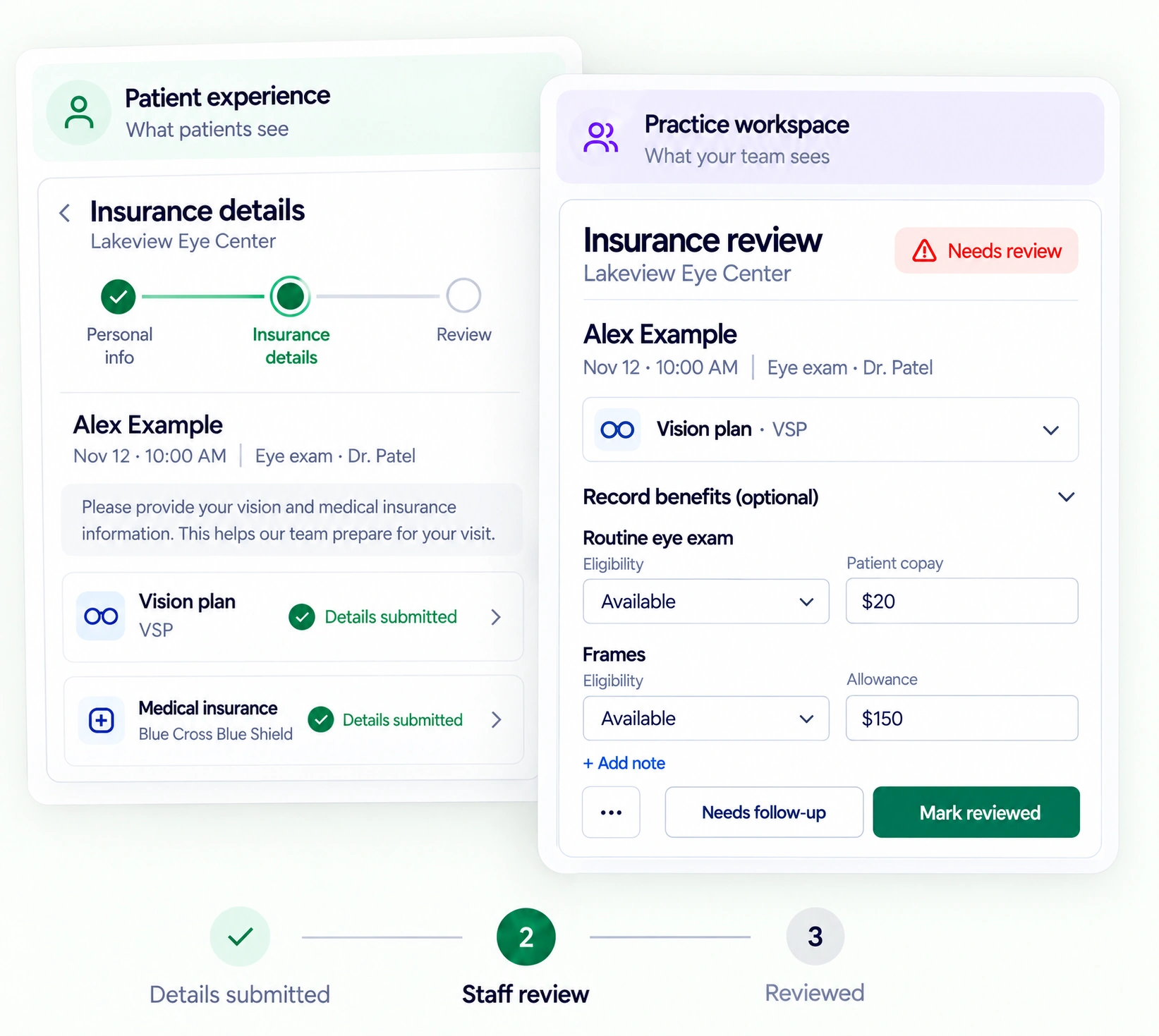
Keep insurance preparation moving.
Collect medical and vision-plan details during booking or check-in. Give your team a clear place to review information, record known benefits, and follow up on anything outstanding.
Medical and vision-plan details
Patients provide coverage information before the visit.
An organized staff review queue
See which patients need review and what needs attention.
Recorded findings and follow-up needs
Staff review the information; submission does not verify coverage.
Patient check-in
A warm welcome. A simpler check-in.
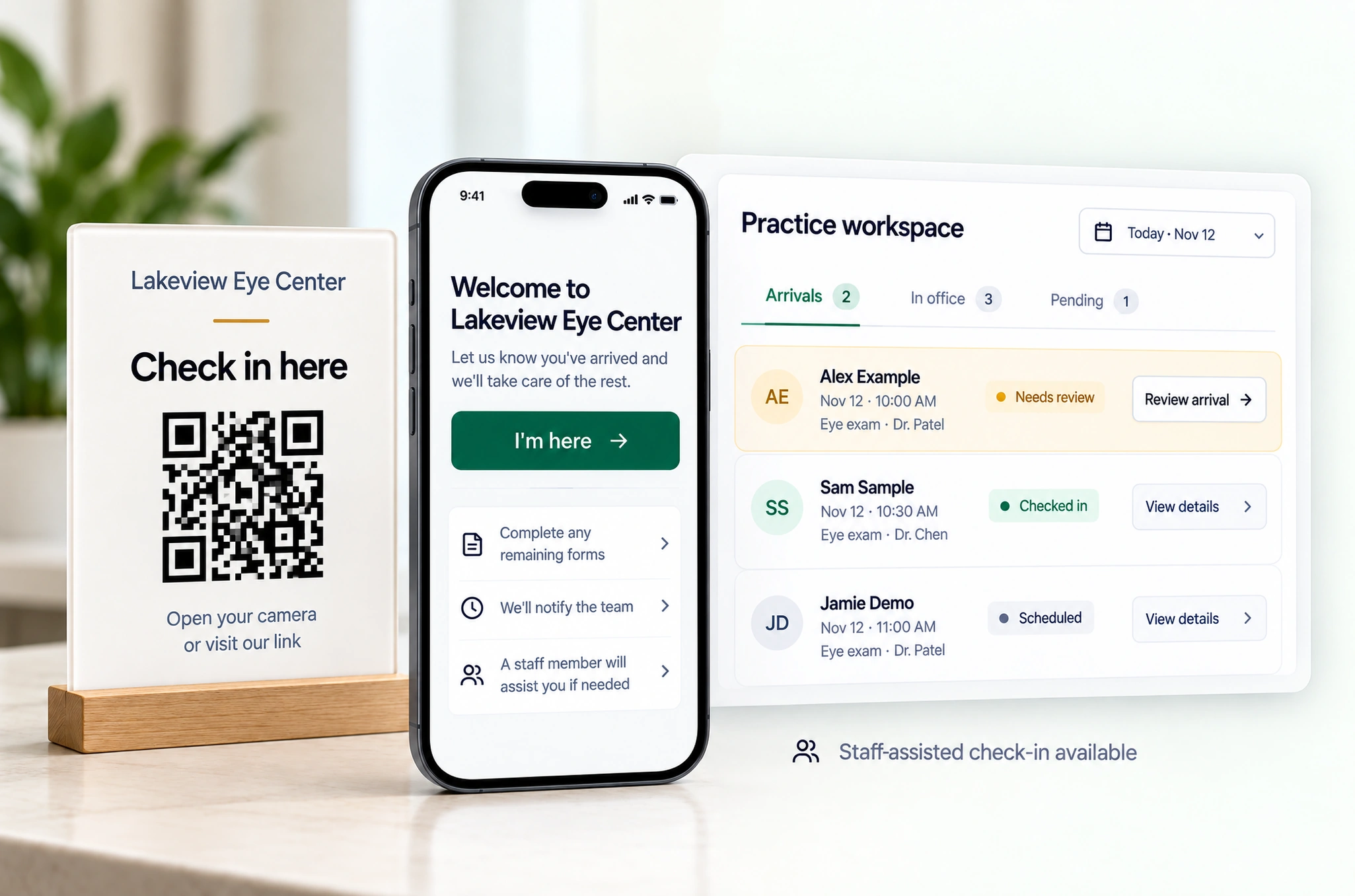
Give patients a simple way to announce their arrival, complete remaining paperwork, and let your team know they’re here. Staff can assist anyone who needs help.
Check in through a QR code or link
Scheduled patients and walk-ins
Arrival awareness for your team
Patient flow
Keep your team in sync throughout the visit.
Give reception, technicians, and doctors a shared view of patient progress.
Staff move each visit forward, from arrival and preparation through checkout.
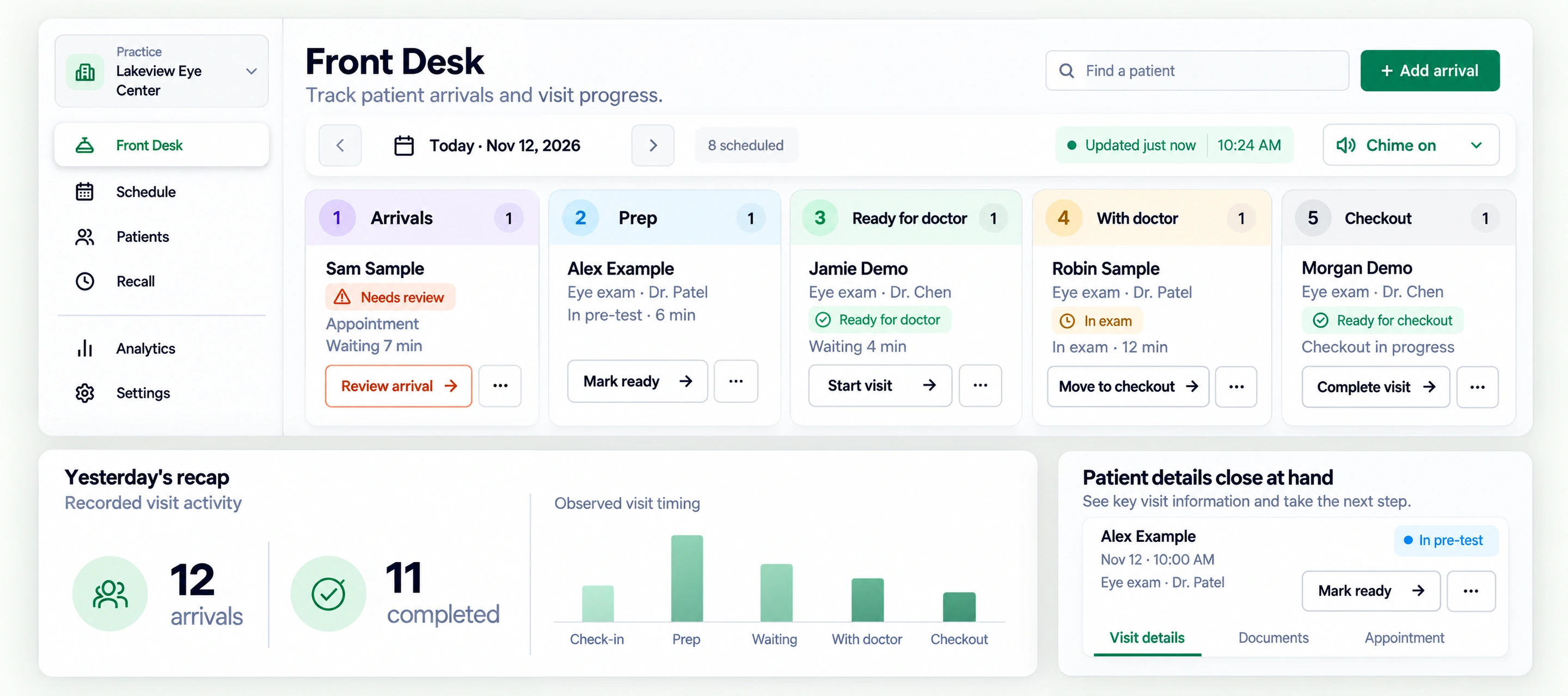
A shared view during the visit. A clear recap afterward.
Patient recall
Bring more patients back to your
practice.
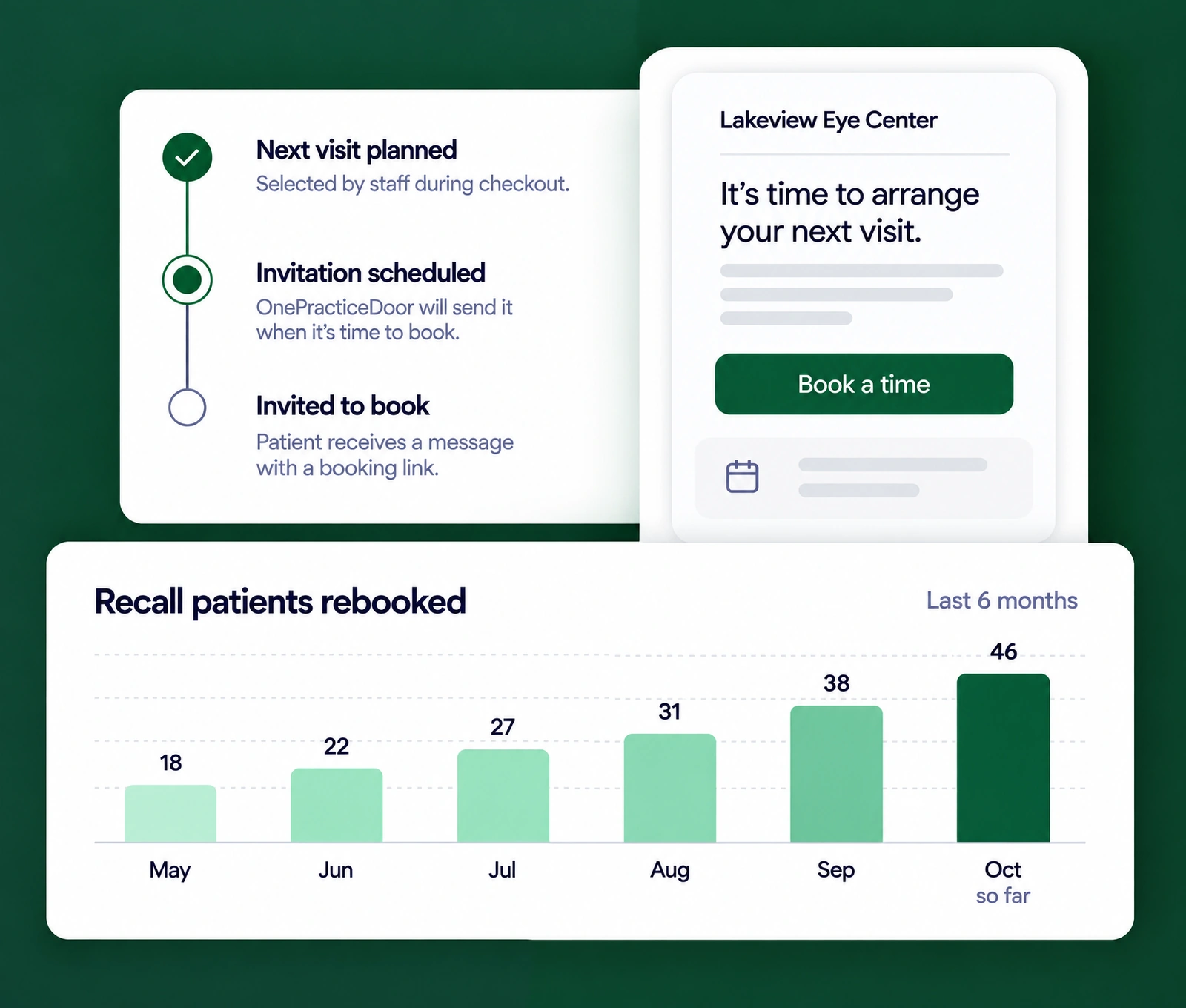
Help turn planned follow-ups into booked appointments. Your team chooses the next-visit timing at checkout, and OnePracticeDoor sends permitted invitations when it’s time to book.
Encourage repeat visits
Reduce manual follow-up
Track invitations and rebookings
Review requests
Get more Google reviews from your patients.
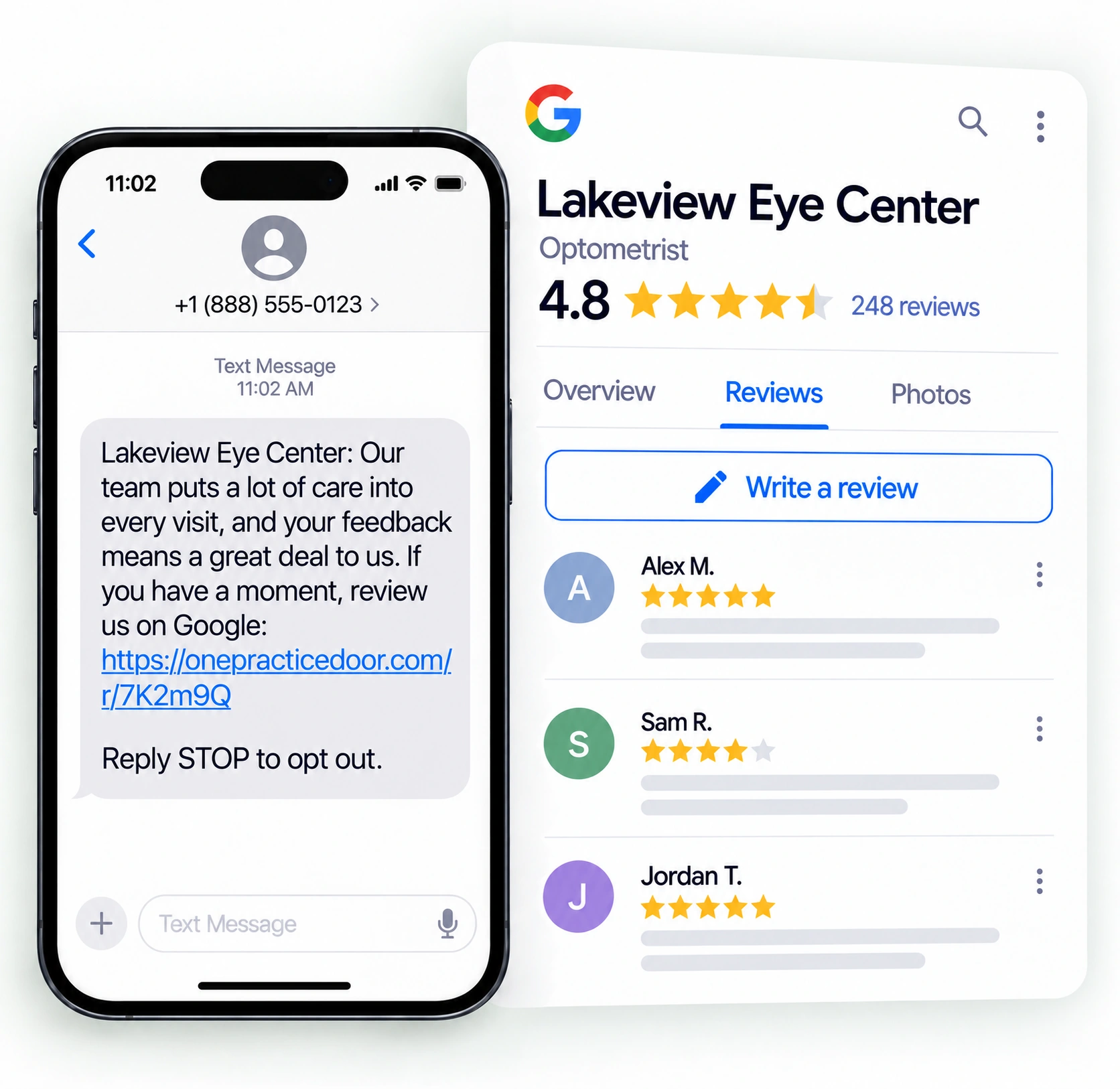
Make it easy for patients to share honest feedback on Google, with timely requests after their visit and automatic follow-up.
Automatically ask after visits
Send patients directly to Google
Follow up without manual chasing
Built for your practice
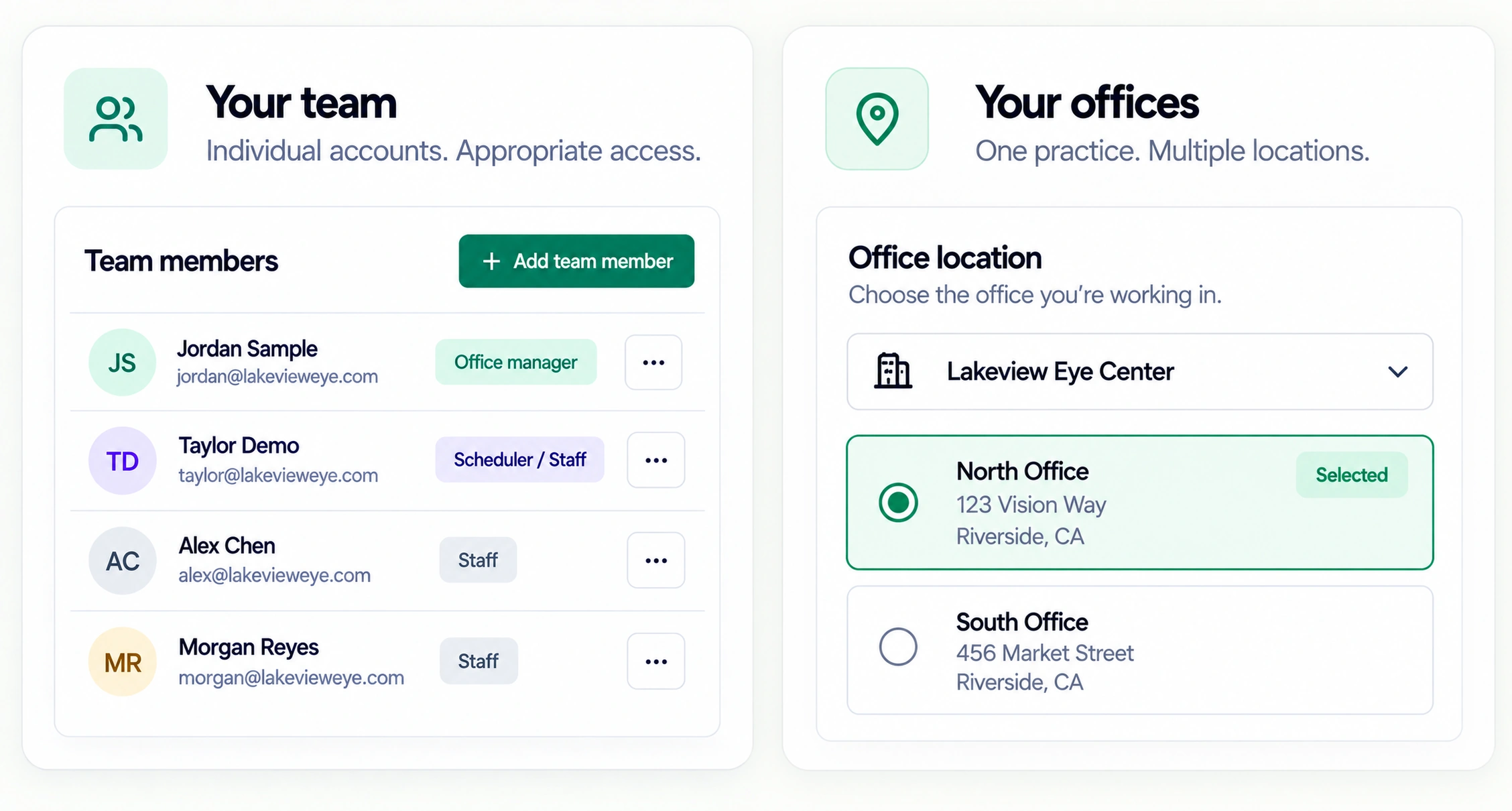
Built for the way your team works.
Give each team member appropriate access and organize work across your offices.
A few things to know
A clear fit for your practice.
- Do we need to replace our PMS?
- No. Keep your existing system for clinical records, billing, and payments. OnePracticeDoor supports the patient and front-office experience around it.
- How does scheduling work?
- When you enable OnePracticeDoor scheduling, online and staff-created appointments use one shared schedule. Check-in and Front Desk can also work without enabling scheduling.
- Does OnePracticeDoor automatically sync with our PMS?
- No. Any entry your practice needs in its existing system remains a staff handoff.
- Can patients check in without a phone?
- Yes. Staff can record an arrival and help patients who need assistance.
- Can we use OnePracticeDoor across multiple offices?
- Yes. Manage offices within one practice, with appropriate staff access and your plan’s location allowance.
Give your practice a better front door.
Connected tools to help patients book, keep visits moving,
and give your team more time for the people in front of them.